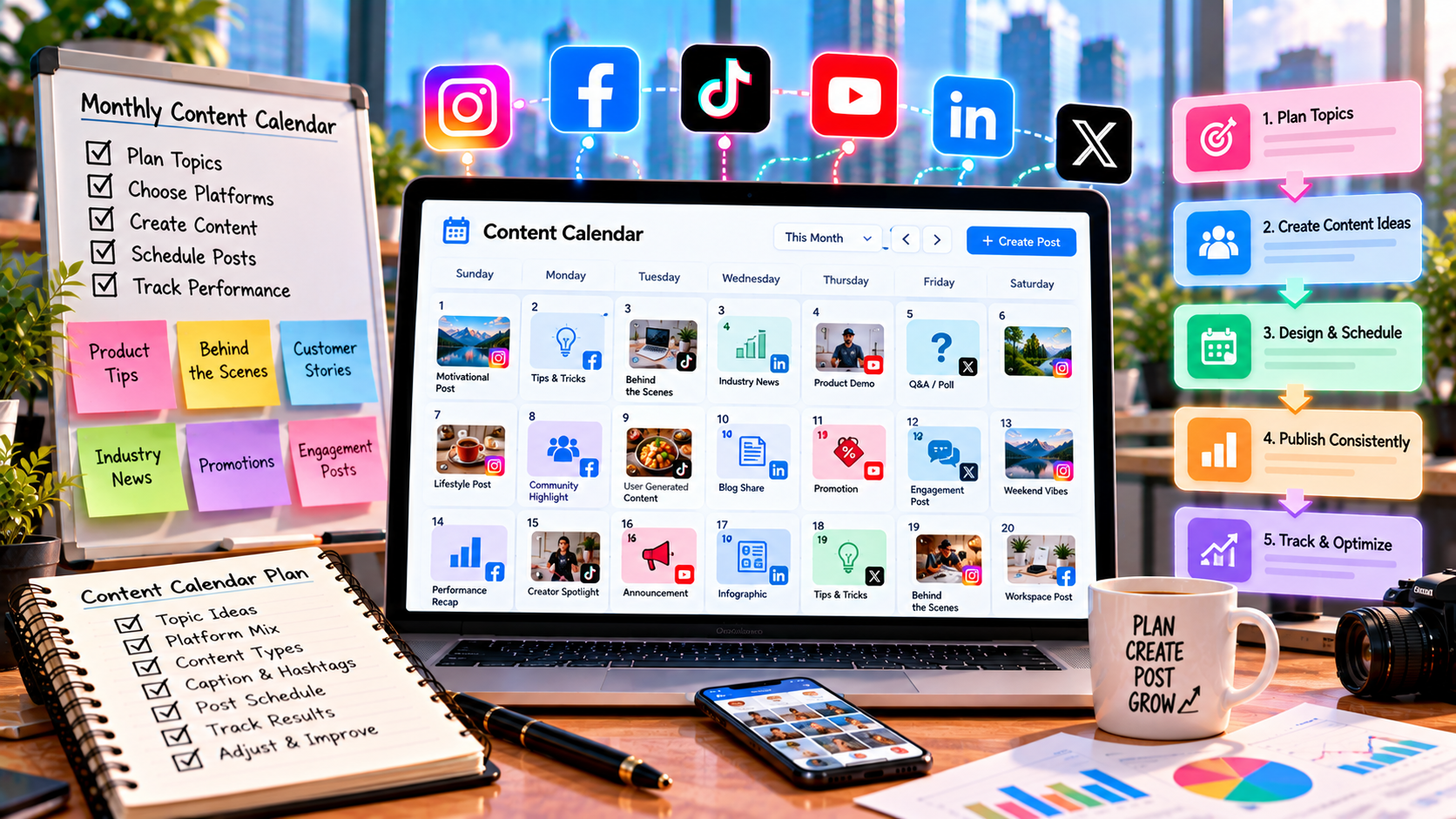
How to Build a Monthly Social Media Content Calendar
Posting consistently on social media becomes much easier when there is a clear plan for what to publish and when to publish it.
Without a content calendar, businesses often find themselves asking the same question every day: “What should we post today?” This can lead to rushed ideas, repeated topics, inconsistent posting, or too much promotional content.
A monthly social media content calendar solves this problem by organizing content in advance.
It provides a practical overview of upcoming posts, including topics, formats, platforms, publishing dates, and content goals. It does not have to be complicated. Even a simple spreadsheet can become an effective planning system.
This guide explains how to build a useful monthly social media content calendar from scratch.
What Is a Social Media Content Calendar?
A social media content calendar is a planning document that organizes social media content by date and other important details.
Depending on the business, a calendar may include:
Publishing date
Platform
Content topic
Content pillar
Content format
Caption or copy
Visual requirements
Call to action
Content status
Responsible team member
Performance notes
A calendar can cover one platform or several platforms at the same time.
For example, a business managing Instagram, Facebook, TikTok, and LinkedIn may use one master calendar while adapting individual posts for each platform.
Why Use a Monthly Content Calendar?
A calendar does more than tell a team when to post.
It can help businesses:
Maintain consistency
Reduce last-minute work
Organize content ideas
Balance different content types
Prepare campaigns in advance
Coordinate designers and writers
Avoid repetitive posts
Identify content gaps
Plan seasonal content
Review performance more easily
It also gives the team a broader view of the month.
Instead of looking at individual posts, the business can see whether the entire month contains a healthy mixture of educational, engaging, community, and promotional content.
Start With the Month's Important Dates
Before filling the calendar with regular posts, identify important dates that may affect content planning.
These could include:
Product launches
Sales campaigns
Company events
Industry events
Holidays
Seasonal occasions
Important announcements
Webinar dates
Product updates
Business milestones
Not every holiday needs a social media post.
The date should be relevant to the audience or business. A calendar should support the brand rather than encourage unnecessary posting.
Review the Previous Month
A new content calendar should not be created completely from scratch every month.
Start by reviewing what happened during the previous period.
Look at:
Top-performing posts
Lowest-performing posts
Most shared content
Most saved content
Strongest videos
Highest-engagement topics
Website clicks
Leads or conversions
Follower changes
The purpose is not to simply repeat the best-performing post.
Instead, identify patterns.
For example, if several educational carousel posts generated strong saves, the next month's calendar could include more educational content around related audience problems.
Set Monthly Content Priorities
A month can have several content priorities, but they should be clear.
For example:
Monthly objective: Increase awareness of a new service.
The calendar might then include:
Educational posts explaining the problem
Short videos showing common mistakes
FAQs about the service
Customer-focused content
Service demonstrations
A limited number of promotional posts
This creates a connection between the business objective and the content being published.
Choose Your Content Pillars
Content pillars give the calendar structure.
Suppose a digital marketing company has these five pillars:
Social media education
Content creation
Analytics
Growth tips
Service education
Instead of randomly selecting topics, the business can distribute posts across these categories throughout the month.
A simple monthly distribution could look like:
Content PillarMain PurposeEducationTeach the audienceGrowth TipsProvide practical valueAnalyticsHelp users understand performanceCommunityEncourage interactionService EducationExplain available solutions
The exact balance should depend on the business and its audience.
Decide How Many Posts You Can Actually Create
A common mistake is creating a calendar that looks impressive but cannot realistically be maintained.
Before choosing a posting frequency, consider:
Team size
Writing capacity
Design resources
Video production time
Approval process
Available content ideas
Budget
Platform requirements
For example, publishing three high-quality posts per week may be more manageable than promising daily videos and struggling to maintain quality.
A sustainable calendar is more useful than an ambitious calendar that repeatedly gets abandoned.
Select the Right Content Formats
Different topics can be presented in different formats.
Possible formats include:
Short-form videos
Reels
TikTok videos
Carousels
Single-image posts
Stories
Text posts
Infographics
Live sessions
Customer-generated content
Avoid assigning the same format to every topic.
For example:
Educational topic → Carousel
Quick tip → Short video
Audience question → Story or text post
Customer experience → Image, video, or case-study post
Choosing the format based on the message can make the calendar more practical.
Create a Monthly Content Calendar
Once the basic information is ready, begin filling the calendar.
A simple example:
DatePlatformTopicFormatPurpose1InstagramSocial media planning tipCarouselEducation3TikTokCommon growth mistakeShort videoAwareness5FacebookAudience questionText postEngagement7LinkedInMarketing insightText + graphicEducation10InstagramAnalytics tipReelEducation13FacebookCustomer FAQImage/TextTrust16TikTokContent tipVideoAwareness20InstagramService explanationCarouselConsideration24LinkedInIndustry lessonText postThought leadership27FacebookMonthly offerPromotional postConversion30InstagramMonthly recapCarouselCommunity
This is only an example. A real calendar should reflect the business's actual goals and audience.
Plan Content in Weekly Themes
Some businesses find it easier to organize a month into weekly themes.
For example:
Week 1: Education
Focus on beginner-friendly information and common questions.
Week 2: Problems and Solutions
Discuss challenges the target audience faces and practical ways to address them.
Week 3: Trust and Community
Use customer experiences, behind-the-scenes content, FAQs, or community-focused posts.
Week 4: Products and Services
Explain relevant products, features, services, or offers without turning every post into a sales pitch.
Weekly themes can simplify planning while still allowing individual posts to have different purposes.
Leave Space for Flexible Content
A calendar should not be so rigid that there is no room for unexpected opportunities.
Leave some flexibility for:
Breaking industry news
New trends
Customer questions
Unexpected product updates
Timely conversations
High-performing content ideas
Important announcements
For example, a business might plan 80–90% of its content in advance while leaving some space for timely posts.
The exact percentage is not important. The principle is to combine planning with flexibility.
Plan Captions Before Publishing Day
Creating captions at the last minute can make the publishing process stressful.
Whenever possible, prepare the main copy before the scheduled date.
A useful caption structure might include:
Hook → Main Information → Supporting Detail → CTA
For example:
Hook:
Your content calendar should do more than list dates.
Main information:
It should help your team understand what to publish, why it matters, and how the content supports the month's goals.
CTA:
Save this framework for your next content planning session.
The exact structure can change depending on the platform and post type.
Prepare Visual Requirements Early
Content calendars should also account for creative assets.
For every visual post, note whether it needs:
Graphic design
Product photography
Video recording
Screen recording
Animation
Stock imagery
User-generated content
Brand templates
This allows designers and creators to prepare assets before the publishing deadline.
For video content, the calendar can also include:
Video concept
Hook
Script
Recording status
Editing status
Thumbnail
Final approval
This turns the calendar into a production tool rather than just a list of dates.
Add a Content Status
A useful calendar should show where every post is in the production process.
Common statuses include:
Idea
Planned
Writing
Designing
Recording
Editing
Review
Approved
Scheduled
Published
For a larger team, this can prevent confusion about which content is ready and which content still needs work.
Coordinate Multiple Social Platforms
If a business uses several platforms, one idea can sometimes support multiple pieces of content.
For example:
Topic: How to improve social media engagement.
It could become:
Instagram carousel
TikTok educational video
Facebook discussion
LinkedIn professional post
The central idea remains connected, but the presentation should be adapted to each platform.
This is more efficient than creating completely unrelated content for every channel.
Use a Content Calendar to Avoid Repetition
Repetition is one of the easiest problems to identify when content is viewed on a monthly calendar.
Imagine a business publishes:
Three promotional posts in four days
Five similar product posts
Almost no educational content
No community content
Individually, each post may look acceptable. Together, the month feels unbalanced.
A calendar makes these patterns visible before they become a problem.
Include Different Audience Stages
Not everyone viewing a social media account is at the same stage.
Some people are discovering the brand for the first time. Others may already understand the product.
A monthly calendar can therefore include:
Audience StageSuitable ContentDiscoveryEducational and awareness contentResearchGuides and comparisonsConsiderationDemonstrations and FAQsDecisionProduct/service informationExisting CustomerSupport and educational content
This helps prevent the calendar from focusing entirely on either new audiences or existing customers.
Schedule Evergreen and Timely Content
A useful calendar can contain both evergreen and timely content.
Evergreen Content
This remains useful for a long period.
Examples:
Beginner guides
Tutorials
Checklists
Definitions
Common mistakes
Frequently asked questions
Timely Content
This is connected to a current event, trend, campaign, or date.
Examples:
Industry updates
Seasonal campaigns
Product launches
Event-related content
Current trends
A combination of both gives the calendar stability while keeping the account relevant.
Don't Forget Stories and Short Updates
A content calendar does not have to contain only major feed posts.
Depending on the platform, businesses can also plan:
Stories
Polls
Questions
Short updates
Behind-the-scenes clips
Customer reposts
Quick tips
Announcements
These smaller pieces of content can support the larger monthly content plan.
Build a Reusable Calendar Template
Once a business creates a useful calendar, there is no reason to rebuild the structure every month.
A reusable template can contain columns such as:
FieldPurposeDatePublishing schedulePlatformWhere content will appearTopicMain subjectPillarContent categoryFormatVideo, carousel, image, etc.CaptionMain copyCTADesired actionCreativeRequired visual assetStatusProduction stageResultsPerformance after publishing
Each month, the team can duplicate the template and update the information.
Track Results Inside the Calendar
A content calendar becomes more valuable when it records what happened after publication.
Depending on the platform and goal, results can include:
Reach
Views
Engagement
Shares
Saves
Comments
Profile visits
Link clicks
Leads
Conversions
For example:
PostGoalResultInsightAnalytics CarouselSavesStrongPractical guides performed wellShort VideoAwarenessHigh reachVideo format attracted discoveryPromotional PostSalesLowOffer may need clearer positioning
This turns the calendar into a learning system.
Review the Calendar at the End of the Month
At the end of each month, review the complete calendar.
Ask:
Which topics performed well?
Which formats performed well?
Which posts generated meaningful engagement?
Which content produced traffic or leads?
Which topics should be expanded?
Which content should be reduced?
Were there gaps in the publishing schedule?
Was the planned workload realistic?
The answers should influence the next month's calendar.
Common Social Media Content Calendar Mistakes
Planning Too Far Ahead
Planning several months of content in extreme detail can make it difficult to react to changes.
Overloading the Calendar
More posts do not automatically mean better results.
Ignoring Content Quality
A calendar can organize publishing, but it cannot make weak content valuable.
Forgetting the Audience
A schedule should be built around audience needs rather than simply filling empty dates.
Making Everything Promotional
A healthy calendar should provide useful information and interaction as well as commercial content.
Not Reviewing Performance
If results are never added to the planning process, the same weak content patterns may continue.
Leaving Production Until the Last Minute
Writing, designing, recording, and approval all take time. The calendar should account for production deadlines.
Treating Every Platform the Same
The same topic can be reused, but the content should be adapted to each platform.
A Simple Monthly Planning Workflow
A practical monthly workflow can look like this:
Review → Prioritize → Plan → Create → Approve → Schedule → Publish → Measure → Improve
Step 1: Review
Analyze the previous month's results.
Step 2: Prioritize
Choose the main goals and important dates for the new month.
Step 3: Plan
Select topics, pillars, formats, and publishing dates.
Step 4: Create
Prepare captions, graphics, videos, and other assets.
Step 5: Approve
Review content for accuracy, quality, branding, and relevance.
Step 6: Schedule
Prepare approved posts for their planned publishing times.
Step 7: Publish
Release content according to the calendar while remaining flexible when necessary.
Step 8: Measure
Track performance against the original content objective.
Step 9: Improve
Use the findings to build the next calendar.
How SMM Panels Can Fit Into Content Planning
For businesses that use SMM panels, social media services can be treated as a supporting part of the wider marketing workflow rather than a replacement for content planning.
The content calendar should still focus on:
Audience relevance
Content quality
Consistency
Engagement
Brand communication
Performance measurement
SMM services may support certain social media objectives, but the calendar should not be built around follower or engagement numbers alone.
Content remains the foundation of a social media presence.
Frequently Asked Questions
How far in advance should social media content be planned?
Many businesses can plan a significant portion of their content several weeks ahead. A monthly calendar provides enough structure while still leaving room for timely content.
Should a business plan every post for an entire month?
Planning most regular content in advance can be useful, but it is also helpful to leave room for unexpected opportunities, audience questions, and current events.
What should a social media content calendar include?
At minimum, it can include the date, platform, topic, format, content purpose, caption, CTA, and publishing status. More detailed calendars can also include creative assets and performance results.
Can one content calendar be used for multiple platforms?
Yes. A master calendar can organize multiple platforms, provided that individual content is adapted to suit each platform.
How often should a content calendar be updated?
It should be reviewed regularly and ideally updated based on content performance, upcoming campaigns, audience needs, and changes in business priorities.
Is a spreadsheet enough for a content calendar?
Yes. A spreadsheet can be completely sufficient for a small business. More advanced teams may use dedicated project-management or social media scheduling tools.
Should every day have a social media post?
No. Posting frequency should be based on the platform, audience, available resources, and ability to maintain useful content consistently.
Final Thoughts
A monthly social media content calendar turns content planning from a daily guessing game into an organized process.
The goal is not to fill every date with a post. The goal is to create a realistic schedule that connects audience needs, content topics, formats, campaigns, and measurable objectives.
A simple approach is:
Review what worked → Choose monthly priorities → Plan content → Prepare assets → Publish consistently → Measure results → Improve next month.
With a well-maintained calendar, businesses can reduce last-minute work, maintain a balanced content mix, and make their social media activity more intentional and easier to manage.