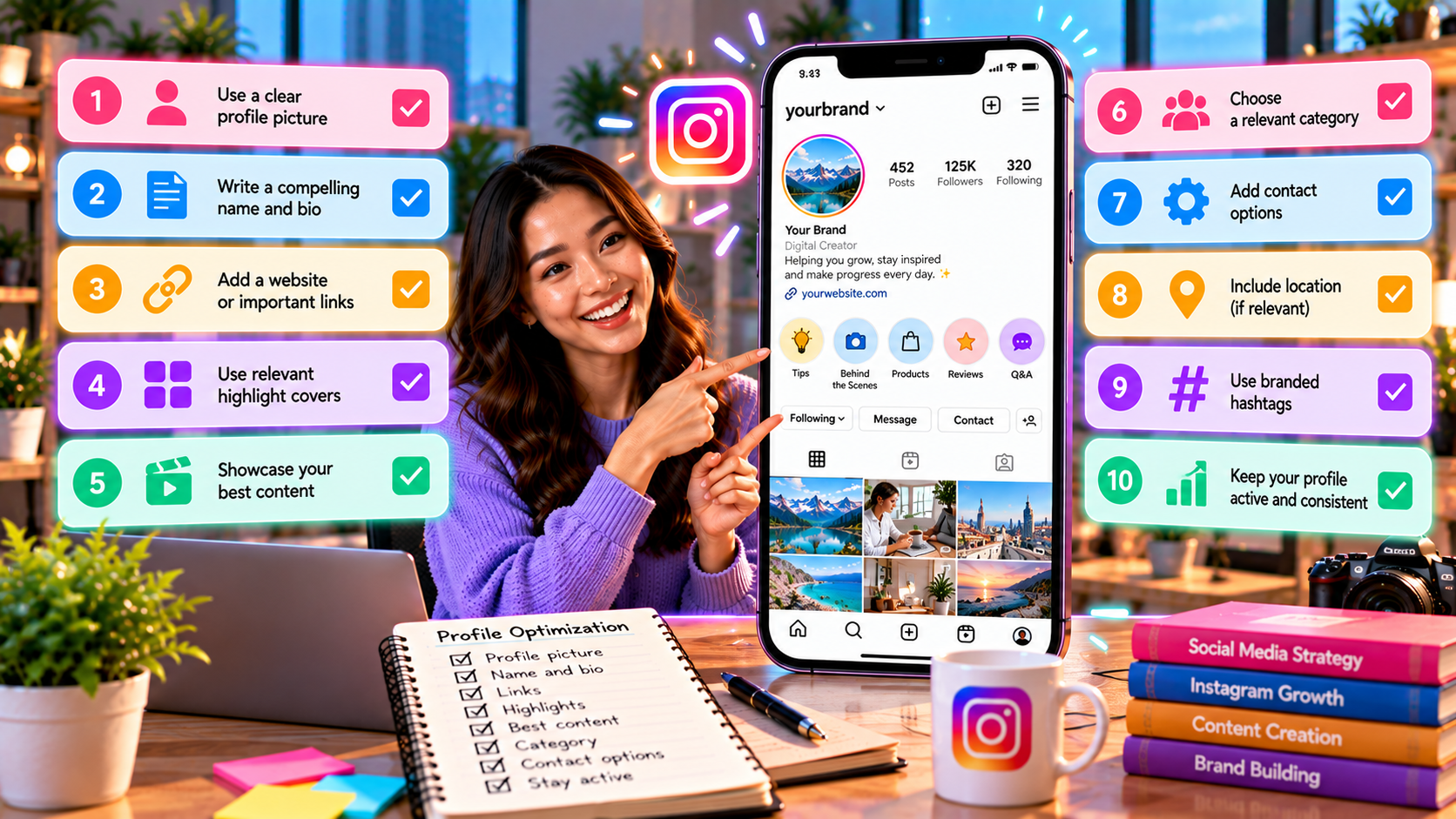
Instagram Profile Optimization Checklist: How to Build a Stronger Profile
An Instagram profile is often the first place people go after discovering an account.
Someone may find a business through a Reel, discover a creator through a shared post, or arrive from a search result. Before deciding whether to follow, visit a website, send a message, or make a purchase, they may check the profile.
That makes profile optimization an important part of Instagram marketing.
A strong profile should quickly answer three basic questions:
Who are you?
What do you offer?
Why should someone follow or contact you?
Profile optimization is not about adding as much information as possible. It is about making the profile easy to understand and giving visitors a clear next step.
This guide covers the main parts of an Instagram profile and provides a practical checklist businesses, creators, and personal brands can use.
What Is Instagram Profile Optimization?
Instagram profile optimization means improving the different elements of an Instagram profile so visitors can quickly understand the account and take the intended action.
This can include:
Username
Name field
Profile photo
Bio
Category
Links
Contact options
Highlights
Pinned content
Visual consistency
Calls to action
Each element has a different purpose.
For example, the profile photo helps with recognition, while the bio explains the account's value. The link gives visitors a next step, and pinned posts can provide additional context.
A good profile makes these elements work together.
Why Instagram Profile Optimization Matters
Getting someone to visit a profile is only one step.
The next question is what happens after the visit.
Imagine someone discovers a small business through an Instagram Reel. They visit the profile but see:
an unclear username
no explanation of what the business sells
an outdated profile photo
no useful link
random pinned posts
The visitor may leave even though the original Reel was interesting.
Now imagine the same visitor sees:
a recognizable profile image
a clear name
a concise description
useful highlights
relevant pinned posts
a clear website or contact option
The visitor has more information to make a decision.
This is why profile optimization connects content discovery with profile-level action.
Instagram Profile Optimization Checklist
Use the following checklist to review an Instagram account.
1. Choose a Clear Username
Your username should be easy to recognize and remember.
Whenever possible, it should have a clear connection to:
the brand
creator name
business name
personal identity
niche
Avoid unnecessary numbers, confusing characters, or extremely complicated spellings when a simpler option is available.
For example, a business named "Urban Coffee" should ideally have a username that makes the brand recognizable rather than something unrelated.
A username does not need to contain every keyword.
Clarity is more important than keyword stuffing.
2. Optimize the Name Field
The Instagram name field is separate from the username.
It can provide additional context about what the account represents.
For a business, this could include the brand name and a useful description.
For example:
Urban Coffee | Dhaka Cafe
or:
SMMZY | Social Media Marketing
The exact wording should reflect the actual account.
The objective is to help visitors understand the profile quickly.
3. Use a Recognizable Profile Photo
The profile image is one of the first visual elements people notice.
Businesses commonly use:
a recognizable logo
a simplified brand mark
a consistent brand image
Creators may use:
a clear headshot
a recognizable personal image
a consistent creator identity
Avoid images that become difficult to recognize when displayed at a small size.
The profile photo should still make sense when viewed as a small circle.
4. Write a Clear Instagram Bio
Your bio should explain what the account is about without making visitors work to understand it.
A useful bio can communicate:
What you do + Who you help + Main value + Next step
For example:
Social media growth tips for businesses and creators.
Practical Instagram, TikTok & content strategies.
Explore more resources below.
The exact wording should depend on the account.
A good bio is specific enough to communicate value but short enough to scan quickly.
5. Avoid Making the Bio Too Complicated
A common mistake is trying to explain the entire business in the bio.
The bio does not need to contain:
every product
every service
every feature
a long company history
multiple unrelated messages
Instead, prioritize the information a new visitor needs first.
Think of the bio as a quick introduction rather than a complete business presentation.
6. Include Relevant Keywords Naturally
Relevant words can help people understand the profile and its topic.
For example, a photography account might naturally mention:
wedding photography
portrait photography
Dhaka photographer
A marketing account might mention:
social media marketing
Instagram strategy
content marketing
The important word is naturally.
Do not turn the profile name or bio into a list of repetitive keywords.
7. Add a Clear Call to Action
A profile should give visitors a reason to take the next step.
Depending on the account, the CTA could be:
Visit the website
Shop the collection
Book a consultation
Read the guide
Send a message
Explore the latest products
Join the newsletter
A simple CTA is usually easier to understand than several competing instructions.
8. Optimize the Profile Link
The profile link should lead visitors somewhere useful.
Possible destinations include:
official website
product page
booking page
landing page
newsletter
campaign page
important resource
The destination should match the CTA.
For example:
Bio: Learn our latest Instagram marketing guides.
Link: A page containing those guides.
This creates a consistent visitor journey.
9. Don't Send Everyone to a Confusing Link Page
A multi-link page can be useful when an account has several important destinations.
However, too many choices can create unnecessary friction.
If one action is the primary objective, sending visitors directly to the most relevant page may be clearer.
Think about the visitor's intention before choosing the destination.
10. Use Instagram's Contact Options
Businesses should make it easy for potential customers to contact them.
Depending on the account and available Instagram features, this may include:
Phone
Messaging
Business contact options
Location information
Only include contact methods that are actively monitored.
An unused contact option can create a poor customer experience.
11. Choose the Right Category
A professional or business account may have access to a category label.
The category should accurately describe the account.
For example:
Digital Creator
Restaurant
Clothing Brand
Marketing Agency
Photographer
Education
The exact available categories can vary.
Choose the closest accurate description rather than selecting a category simply because it sounds more attractive.
12. Use Instagram Highlights Strategically
Highlights can act like a small navigation menu on an Instagram profile.
Useful Highlight categories may include:
About
Services
Products
Reviews
FAQs
Tutorials
Behind the Scenes
Contact
Offers
Not every account needs all of these.
Choose categories based on what visitors actually need to know.
13. Create Useful Highlight Covers
Highlight covers can make the profile look more organized.
They should be:
simple
readable
visually consistent
easy to distinguish
A clean visual system can help visitors understand the profile faster.
However, design should not become more important than the information inside the Highlights.
14. Keep Highlight Content Updated
Creating Highlights is not enough.
Outdated information can create confusion.
Review Highlights periodically and remove:
expired offers
outdated prices
old announcements
unavailable products
obsolete information
A profile should represent the current state of the business or creator.
15. Pin Your Most Important Posts
Instagram allows accounts to feature selected posts at the top of the profile grid.
Pinned content can help introduce the account to new visitors.
Potential pinned posts include:
Introduction Post
Explain who you are and what the account provides.
Best Educational Post
Show the type of useful content visitors can expect.
Product or Service Post
Explain the main offer.
A business might use a combination such as:
Start Here → What We Offer → Customer Value
The exact structure depends on the account's goals.
16. Make the First Few Posts Easy to Understand
Even if posts are not pinned, visitors may look at the top portion of the profile grid.
Ask:
Does the content clearly show what this account is about?
Are the topics related?
Does the visual style feel consistent?
Can a new visitor understand the account quickly?
The profile grid does not need to look identical from post to post.
It should simply feel intentional.
17. Build Visual Consistency
Visual consistency can improve brand recognition.
This might include consistent:
typography
photography style
colors
graphic style
logo placement
editing style
Consistency does not mean every post must look exactly the same.
The objective is to create recognizable visual patterns.
18. Make the Profile Match the Content
One of the most overlooked parts of profile optimization is consistency between the profile and its content.
Suppose the bio says:
Instagram marketing education for small businesses.
But the recent content consists mostly of unrelated memes.
The visitor receives mixed signals.
The profile promise and the actual content should support each other.
19. Make Your Value Proposition Specific
A vague statement such as:
"Helping people succeed online."
does not tell visitors much.
A more specific statement might communicate:
"Practical Instagram and TikTok marketing tips for small businesses."
Specificity helps visitors determine whether the account is relevant to them.
20. Make the Account's Audience Clear
A profile does not need to appeal to everyone.
For example:
Social media tips for local restaurants
is more specific than:
Social media tips for everyone.
Clear audience positioning can make it easier for the right visitors to understand why they should follow the account.
Instagram Profile Before-and-After Example
Consider a fictional marketing account.
Before
Username: @marketing123456
Name: Digital World
Bio:
Marketing | Business | Growth | Online | Success
DM us for anything
Link: homepage
The profile provides several words but little specific information.
After
Username: @brandname
Name: Brand Name | Social Media Tips
Bio:
Practical social media strategies for small businesses.
Instagram, TikTok & content marketing tips.
Explore our latest guides below.
Link: Relevant resource page
The second version gives visitors a clearer understanding of the account.
The lesson is not that one exact bio will work for every account.
The lesson is that clarity usually matters more than trying to sound impressive.
Profile Optimization for Different Account Types
Different accounts have different priorities.
Small Business
Focus on:
what the business sells
location if relevant
customer benefit
contact method
website or shop link
product/service Highlights
Creator
Focus on:
creator identity
content niche
personality
value proposition
collaborations or business contact
important content
Personal Brand
Focus on:
expertise
target audience
professional identity
unique perspective
key resource or website
E-Commerce Brand
Focus on:
product category
value proposition
shopping destination
customer support
product Highlights
reviews
Local Business
Focus on:
location
service/product
opening information where relevant
contact options
directions or website
local customer proof
Profile Optimization and Instagram Search
Instagram search can help people discover accounts and content based on terms they enter.
That makes clear profile information useful.
A profile should naturally communicate:
who the account represents
what topic it covers
what products or services it offers
where it operates when location matters
However, optimization should remain natural.
Repeating the same keyword throughout the username, name, and bio can make the profile look unnatural.
Profile Optimization Is Not the Same as Follower Growth
A well-optimized profile cannot guarantee follower growth.
Profile optimization improves the experience after someone reaches the account.
The broader journey may look like:
Discovery → Profile Visit → Understanding → Trust → Follow/Action
If discovery is weak, profile optimization alone cannot solve the problem.
Likewise, a strong Reel can attract visitors, but a confusing profile may fail to convert that attention into followers or customers.
Both parts matter.
How to Know Whether Your Profile Is Working
Profile optimization should ultimately support an objective.
Depending on the account, monitor:
profile visits
follows
website clicks
contact actions
product page visits
messages
bookings
conversions
One useful internal metric is:
Profile-to-Follow Rate = New Follows ÷ Profile Visits × 100
For example, if 1,000 people visit a profile and 80 follow:
80 ÷ 1,000 × 100 = 8%
This does not represent a universal benchmark.
It is simply a way to compare the account's performance over time.
A Simple Instagram Profile Audit
Once a month, review the profile as if you were a first-time visitor.
Ask:
In 5 Seconds
Can I understand what this account is about?
In 10 Seconds
Can I understand who it is for?
In 15 Seconds
Can I see a reason to follow?
In 20 Seconds
Can I find the next step?
In 30 Seconds
Can I find evidence that the account is useful, credible, or relevant?
If the answer to several questions is no, the profile may need improvement.
Instagram Profile Optimization Checklist
Use this quick checklist:
Identity
Username is clear
Name field explains the account
Profile photo is recognizable
Brand identity is consistent
Bio
Account purpose is clear
Target audience is understandable
Main value is communicated
Relevant keywords appear naturally
Call to action is clear
Links and Contact
Link works
Link destination matches the CTA
Important contact options are available
Contact information is current
Content
Important posts are pinned
Recent content matches the profile promise
Visual identity is reasonably consistent
Content topics are understandable
Highlights
Important information is available
Highlight names are clear
Covers are readable
Outdated information has been removed
Performance
Profile visits are being tracked
Follows from profile visits are monitored
Website/contact actions are reviewed
Changes are tested over time
Common Instagram Profile Optimization Mistakes
Making the Bio Too Vague
Visitors should not have to guess what the account provides.
Using a Confusing Username
A complicated username can make recognition harder.
Ignoring the Name Field
The name field provides another opportunity to clearly identify the account.
Using an Unclear Profile Photo
A profile image should remain recognizable at small sizes.
Adding Too Many CTAs
Multiple competing instructions can make the next step unclear.
Linking to an Irrelevant Page
The destination should match what the profile promises.
Keeping Old Highlights
Outdated information can reduce trust.
Ignoring Pinned Posts
Pinned posts can provide valuable context to new visitors.
Focusing Only on Appearance
A beautiful profile is useful, but clarity and functionality are more important.
Changing the Profile Too Frequently
Constantly changing the username, bio, visual identity, and CTA makes it difficult to understand what is actually improving performance.
A 30-Minute Instagram Profile Optimization Process
A basic profile audit does not need to take an entire day.
First 5 Minutes: Identity
Review:
username
name
profile photo
category
Next 5 Minutes: Bio
Check:
audience
value proposition
keywords
CTA
Next 5 Minutes: Link and Contact
Test:
website
landing page
contact options
Next 10 Minutes: Content
Review:
pinned posts
recent content
visual consistency
content relevance
Final 5 Minutes: Highlights
Check:
titles
covers
outdated information
important FAQs
This creates a simple recurring profile maintenance routine.
Should You Change Your Instagram Bio Often?
Not necessarily.
A bio should change when there is a meaningful reason, such as:
a new business direction
a new offer
a new target audience
a campaign
a new resource
a change in contact method
Do not change the bio every few days simply because follower growth is slow.
Instead, make a clear change and observe what happens.
Can an Optimized Profile Improve Conversions?
It can help create a clearer path from profile visit to action, but it cannot guarantee conversions.
Conversion also depends on:
offer quality
pricing
trust
website experience
product quality
audience intent
customer service
competition
Profile optimization removes some unnecessary confusion.
It does not replace the rest of the customer journey.
Should You Use an SMM Panel to Improve Your Instagram Profile?
An SMM panel may provide services such as followers, likes, views, or other social signals, but those services are separate from profile optimization.
A profile can have a large follower count and still have:
unclear positioning
weak content
poor profile information
confusing CTAs
low visitor-to-follower conversion
Profile optimization should therefore focus on clarity, relevance, useful content, and the visitor experience.
If external social services are used, they should not be treated as a replacement for a well-structured Instagram strategy.
Final Thoughts
Instagram profile optimization is about making the account easier to understand and easier to act on.
A strong profile should quickly communicate:
Who you are → What you provide → Who it is for → What visitors should do next
Start with the basics:
Choose a clear username.
Make the name field descriptive.
Use a recognizable profile photo.
Write a specific bio.
Add a relevant CTA.
Use a useful profile link.
Organize Highlights.
Pin important content.
Keep the profile consistent with your actual content.
Measure profile visits and actions over time.
You do not need to redesign everything at once.
Small improvements to clarity, positioning, navigation, and calls to action can make an Instagram profile more useful for both visitors and the business behind it.
The goal is simple: when the right person lands on the profile, they should quickly understand why the account is relevant and what they can do next.