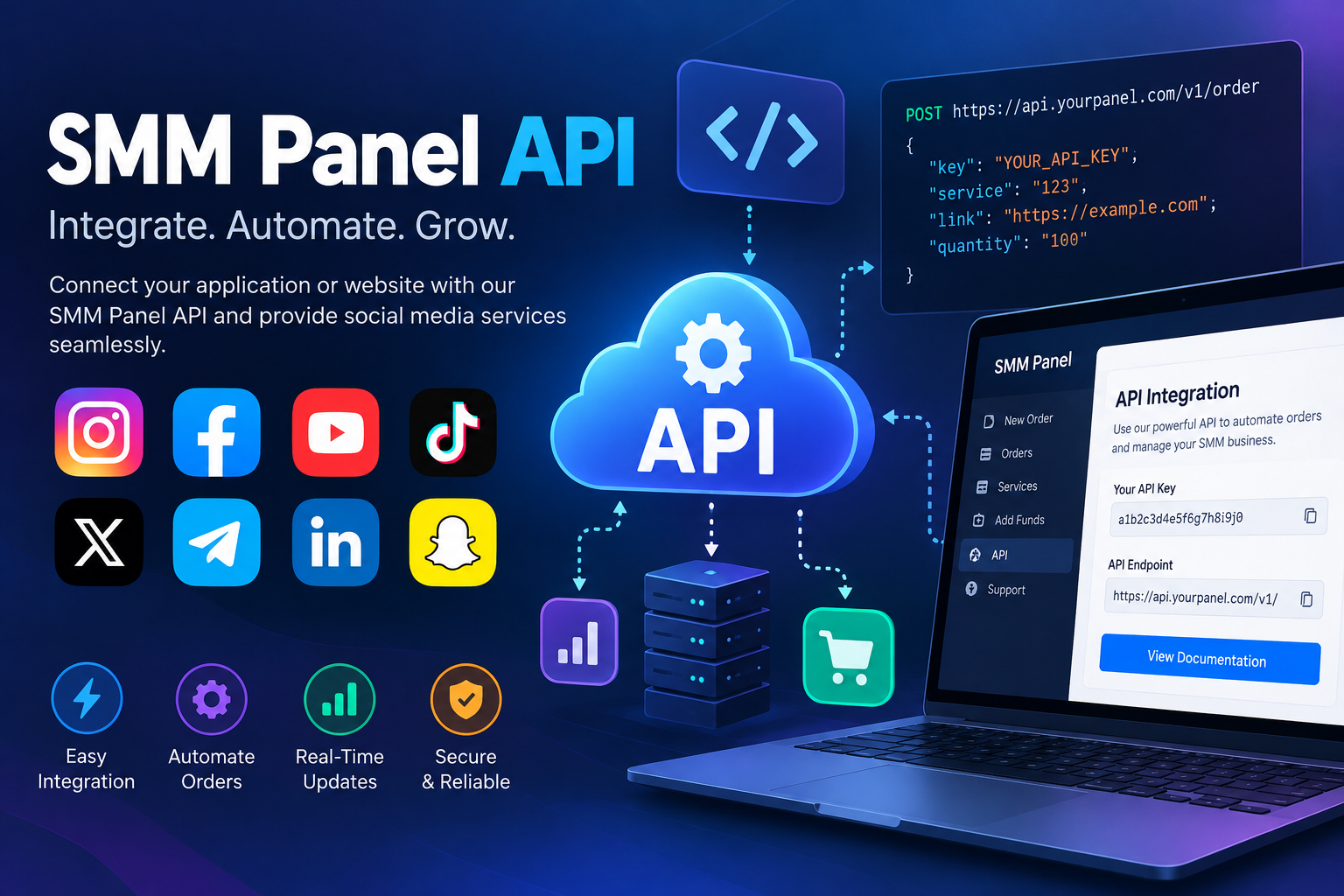
SMM Panel API: Complete Guide to API Integration, Automation, Pricing, and Reseller Business
Running social media services manually can become difficult when the number of orders starts growing.A few orders can be handled from a dashboard without much trouble. But when an agency, freelancer, or reseller begins managing hundreds or thousands of orders, checking every service manually takes considerable time.This is where an SMM Panel API becomes useful.An API allows one software system to communicate with another automatically. In the SMM industry, it can connect a reseller website, application, or custom platform with an SMM panel so that services, prices, orders, balances, and order statuses can be managed programmatically.For someone planning to build an SMM reseller business, understanding how an API works is important before choosing a provider.This guide explains what an SMM Panel API is, how SMM API integration works, API versus manual orders, pricing, common errors, automation, and the practical steps involved in starting an SMM reseller business.What Is an SMM Panel API?
An SMM Panel API is an application programming interface that allows an external website or software application to communicate with an SMM panel.Instead of logging into a panel and manually placing every order, a connected system can send requests to the API.For example, imagine that someone operates a social media services website.A customer visits the website and orders:Instagram followers
TikTok views
YouTube subscribers
Facebook likes
Without API integration, the reseller may need to take each customer order and place it manually with another SMM provider.With an API, the process can be automated.The reseller's website can send the customer's order information to the connected provider. The provider processes the request and returns information such as an order ID or status.The basic flow looks like this:Customer → Reseller Website → SMM API → Service Provider → Order Status → Reseller WebsiteThis saves time and makes it possible to operate a much larger service catalog without manually transferring every order.However, an API does not automatically make a business successful. The quality of the provider, service reliability, pricing, website experience, customer support, and responsible service management still matter.How Does an SMM Panel API Work?
Although API systems can look complicated at first, the basic concept is relatively straightforward.Most SMM APIs work through HTTP requests. A reseller's software sends a request to the API endpoint with specific parameters.Depending on the API, these parameters may include:API key
Action
Service ID
Quantity
Target URL
Order ID
The API then processes the request and returns a response.A simplified order process might look like this:1. Customer Places an Order
A customer selects a service from the reseller's website.For example:Service: Instagram service
Quantity: 1,000
Target: Public profile URL2. Website Processes the Order
The reseller website receives the order and stores the relevant information.3. API Request Is Sent
The website sends the required information to the provider's API.4. Provider Returns a Response
The provider may return an order ID or another response confirming that the request was received.5. Order Status Is Checked
The reseller system can periodically request the order status.Possible statuses can include:Pending
Processing
Completed
Partial
Canceled
The exact status names depend on the API provider.6. Customer Sees the Updated Status
The reseller website can display the latest available information in the customer's dashboard.This creates a much smoother workflow than manually copying every order from one platform to another.SMM Panel API Integration Guide
Before integrating an API, it is important to understand what the provider actually supports.A typical integration process includes the following steps.Step 1: Get API Access
First, create an account with an SMM API provider that offers API access.The provider should give you the information required to connect your software.This commonly includes:API URL
API key
API documentation
Supported actions
Service IDs
Request parameters
Response formats
Never publish your API key publicly.Step 2: Read the Documentation
Do not start coding immediately.Read the provider's documentation first.Look for information about:Authentication
Service list requests
New order requests
Order status
Balance checking
Refill requests
Cancellation
Error responses
Rate limits
Documentation tells your developer how the system is expected to communicate.Step 3: Retrieve the Service List
Many SMM APIs provide an action for retrieving available services.Your software can use this information to display services on your own website.A service response may contain information such as:Service ID
Service name
Category
Rate
Minimum quantity
Maximum quantity
Refill availability
Start information
The exact fields depend on the provider.Step 4: Map Services Correctly
This step is often overlooked.Suppose your website calls a service:Instagram Followers – StandardThe provider may use an internal service ID such as:Service ID: 101Your website needs to know that the customer's selected service corresponds to provider service 101.Incorrect mapping can send orders to the wrong service.Step 5: Send a Test Order
Before opening the system to customers, perform a small test.Check whether:The order reaches the provider
The correct service is selected
The quantity is correct
The target is correct
The order ID is returned
The status updates correctly
Testing early can prevent larger problems later.Step 6: Implement Status Synchronization
An automated reseller system should not stop after sending an order.It should also know what happens afterward.For example:Pending → Processing → CompletedYour system can periodically check the provider for updates and synchronize those updates with the customer's order page.Step 7: Add Error Handling
API requests can fail.Your software should be prepared for situations such as:Invalid API key
Invalid service ID
Insufficient balance
Invalid quantity
Invalid target
Provider downtime
Rate limits
Temporary connection errors
A good integration doesn't simply assume every request will succeed.API vs Manual SMM Orders
Both methods can work, but they are suited to different situations.FeatureManual OrdersAPI OrdersOrder placementHuman-controlledAutomatedSpeedSlower at scaleFaster at scaleRepetitive workHighLowerInitial setupSimpleRequires integrationTechnical knowledgeMinimalUsually requiredLarge order volumeDifficultMore manageableService synchronizationManualCan be automatedCustom reseller websiteLimitedSuitableScalabilityLowerHigherManual ordering is perfectly reasonable for a small operation.If someone receives only a few orders each day, building an API system may not be necessary.API integration becomes more valuable when order volume increases or when the business wants to provide customers with an automated ordering experience.The key question is not whether API is always better.The better question is:How much repetitive work does the business need to automate?How to Start an SMM Reseller Business
An API is only one part of an SMM reseller business.A successful setup normally requires several components.1. Choose Your Target Market
Don't try to sell everything to everyone immediately.Consider a specific audience such as:Content creators
Small businesses
Digital agencies
Influencers
Freelancers
E-commerce sellers
Musicians
Marketing professionals
A focused audience can make it easier to build relevant services and content.2. Choose Your Service Categories
Decide which platforms you want to support.Depending on your business model, these could include:Instagram
Facebook
TikTok
YouTube
Telegram
X
Spotify
Start with services that fit your target customers instead of creating an unnecessarily large catalog.3. Select an SMM API Provider
This is one of the most important decisions.Compare providers based on:API reliability
Service availability
Pricing
Documentation
Support
Order processing
Status updates
Refill policies
Service descriptions
Historical performance
The cheapest API is not automatically the most suitable option.4. Build Your Website
Your website becomes the interface between your customers and the service provider.A reseller website generally needs:Registration/login
Service catalog
Wallet or payment system
Order form
Order history
Order status
Support system
API integration
5. Connect the API
Your developer connects the website to the provider's API.The integration should be tested before customers begin placing orders.6. Add Payment Processing
Customers need a convenient way to fund their accounts and purchase services.Depending on the target market, businesses may use different payment methods.7. Create Customer Support
Automation doesn't eliminate customer questions.Customers may still ask about:Order status
Service requirements
Refill conditions
Payment issues
Canceled orders
Service differences
Good support can make a major difference in the overall customer experience.What Is an SMM Reseller Panel?
An SMM reseller panel is a platform that allows a business or individual to resell social media marketing services to their own customers.Instead of building every service-processing system from scratch, the reseller can connect with an SMM provider and sell selected services through their own website.For example:Provider → Reseller Panel → CustomerThe reseller determines how the services are presented and priced on their own platform.A reseller panel may provide features such as:Service management
Automated ordering
API connection
Customer accounts
Wallet management
Order tracking
Pricing controls
Service categories
For businesses that want to operate at scale, automation can reduce repetitive administrative work.How to Choose an SMM API Provider
Choosing an API provider should involve more than comparing prices.Here are several areas worth checking.API Documentation
Clear documentation makes integration easier.Look for explanations of:Endpoints
Parameters
Authentication
Responses
Errors
Examples
Poor documentation can turn a simple integration into a frustrating development project.Service Stability
Look at how consistently services are available.Frequent service changes can create additional work for resellers because service IDs, descriptions, or conditions may need to be updated.Order Status Support
A useful API should provide enough information for your system to track orders.Without reliable status information, customers may not know what is happening with their orders.Pricing
Compare rates carefully.A low initial price may not be attractive if the service has poor reliability or requires frequent manual intervention.Customer Support
When an API problem occurs, technical support can save significant time.Check whether the provider has a reliable way to report problems and receive assistance.Security
Your API credentials should be protected.The provider should also have reasonable security practices around accounts, authentication, and API access.Scalability
Think about where your business could be six or twelve months from now.A provider that works for a few orders may not necessarily be suitable for a much larger order volume.SMM API Pricing Explained
SMM API pricing can be confusing because providers may structure their services differently.Most providers charge based on the service and quantity ordered.For example, a service might be priced according to a certain number of units.A reseller then adds their own margin.A simplified example:Provider cost: $2
Reseller selling price: $3
Gross difference: $1However, this is not the same as net profit.A reseller may also have expenses such as:Payment processing fees
Hosting
Domain
Website development
Customer support
Advertising
Refunds
Operational costs
Therefore, pricing should be calculated using the complete business cost rather than simply adding a random markup.What Should You Compare?
When comparing API pricing, check:Service rate + reliability + refill conditions + minimum order + maximum order + supportA cheaper service with frequent problems can potentially create more operational work.A slightly higher-cost service may be easier to manage if its documentation, availability, and support are better.Common SMM API Errors
API errors are normal in software systems.The important thing is knowing how to identify and handle them.Invalid API Key
This usually means the authentication information is incorrect.Check:API key
Account status
Environment configuration
Authentication method
Never expose API keys in frontend code or public repositories.Invalid Service ID
The requested service may not exist or may have changed.Check the latest service list and update your service mapping.Insufficient Balance
The API account may not have enough balance to process the request.The system should detect this and prevent repeated failed orders.Invalid Quantity
Every service normally has minimum and maximum limits.For example, if a service accepts between 100 and 10,000 units, an order outside those limits may fail.Your website should validate these limits before sending the request.Invalid Target
A service may require a specific type of URL, username, or target.The software should validate input wherever possible.Rate Limit Error
Some APIs limit how frequently requests can be made.If your software sends too many requests in a short period, the provider may temporarily reject requests.Good systems use controlled request intervals and appropriate retry logic.Timeout or Connection Error
Sometimes the API may not respond within the expected time.Your software should handle temporary failures instead of automatically creating duplicate orders.This is particularly important.A timeout does not always mean the order failed.The request may have reached the provider even though your website did not receive the response.Before retrying, the system should determine whether the original request was accepted.SMM API Automation Guide
Automation is one of the biggest reasons businesses integrate APIs.A properly designed system can automate repetitive processes that would otherwise require manual work.Automatic Order Placement
A customer submits an order and the system forwards it automatically.No employee needs to copy the information manually.Automatic Status Updates
The system periodically checks order status and updates the customer's dashboard.Automatic Service Synchronization
Depending on the API, the website may be able to retrieve current service information.This can reduce the amount of manual catalog management.Automatic Balance Monitoring
A system can monitor the provider balance and notify an administrator when the balance reaches a defined threshold.Automatic Error Logging
Instead of simply showing "Order Failed," a good system records useful information for troubleshooting.For example:Order ID → Request time → Provider response → Error code → Current statusThis makes technical support much easier.Building a Reliable SMM API System
Automation should not mean "set it and forget it."A reliable system needs monitoring.Consider implementing:Order Logs
Store important order information so problems can be investigated later.Retry Logic
Temporary network problems should not automatically become failed orders.Duplicate Protection
Your system should prevent accidentally sending the same order multiple times.Status Reconciliation
Periodically compare your local order status with the provider's status.This helps identify orders that may have become out of sync.Admin Notifications
Important events can trigger alerts, such as:Low provider balance
API connection failure
High error rate
Service unavailable
Unexpected response
Backup Provider Strategy
For businesses that depend heavily on automation, having a contingency plan can reduce disruption when a provider or service becomes unavailable.However, switching providers automatically should be implemented carefully. Service IDs, pricing, order limits, and service conditions may differ.SMM Panel API Security Best Practices
Security deserves attention because API credentials can provide access to important account functions.Keep API keys on the server side.Do not place private credentials inside:Public JavaScript
HTML
GitHub repositories
Screenshots
Client-side applications
Use environment variables or secure server-side configuration where appropriate.Also consider:HTTPS
Access controls
Request logging
Secure authentication
Input validation
Rate limiting
Regular credential rotation
A secure integration protects both the reseller and its customers.Is an SMM Panel API Suitable for Beginners?
You don't need to be a professional developer to understand the concept.But building a complete automated system generally requires some technical knowledge.A beginner can start by learning:What APIs are
How HTTP requests work
JSON basics
API authentication
Request and response handling
Error handling
Database fundamentals
Basic server-side programming
If the goal is to launch a reseller website quickly, working with an experienced developer can be more practical than learning everything from scratch.The important part is understanding what the integration is supposed to accomplish so that you can evaluate the finished system properly.SMM Panel API vs Building Everything From Scratch
There are two common approaches.Using an Existing API
You connect your platform to an existing provider.Advantages:Faster development
Existing service catalog
Less infrastructure to maintain
Easier to launch
Considerations:Dependence on the provider
Service availability can change
Pricing is controlled by the provider
API limitations may apply
Building Your Own Processing Infrastructure
A business attempts to manage the entire service-processing infrastructure independently.Advantages:Greater control
Custom infrastructure
Less dependency on a third-party API
Considerations:Higher development cost
More infrastructure
Greater maintenance requirements
More operational complexity
For many new reseller businesses, connecting to an established API is the simpler starting point.How SMMZY API Can Fit Into a Reseller Workflow
For a reseller using SMMZY, the basic concept is straightforward:Customer → Your Website → SMMZY API → Order Processing → Status → Customer DashboardThe API can be used as the communication layer between the reseller's platform and the SMMZY system, subject to the API features and documentation available to the account.A reseller can build their own customer-facing experience while using API automation to reduce repetitive order management.Before launching, the integration should be tested carefully with small orders and different order states.Common Mistakes When Using an SMM API
Even a technically correct API integration can cause problems if the business process around it is poorly designed.Choosing Only by Price
The lowest rate isn't necessarily the lowest total cost.Skipping Documentation
Developers should understand the API before writing the integration.Not Testing Failed Orders
Testing only successful orders isn't enough.No Duplicate Protection
Network errors can create unexpected duplicate requests if the system retries blindly.Poor Customer Communication
Customers should understand what statuses such as pending, processing, partial, or canceled mean.No Monitoring
Automated systems still need supervision.Overloading the API
Sending unnecessary requests can create rate-limit problems and additional server load.Frequently Asked Questions About SMM Panel APIs
What is an SMM Panel API?
An SMM Panel API is an interface that allows software or a reseller website to communicate with an SMM panel programmatically. It can be used for functions such as placing orders, checking statuses, retrieving services, and managing automated workflows.Can I use an SMM API for a reseller website?
Yes. API integration is commonly used to connect a reseller website with an SMM service provider. The exact capabilities depend on the provider's API.Do I need coding knowledge?
Understanding APIs helps, but you don't necessarily need to write the code yourself. A developer can handle the technical integration while the business owner manages services, pricing, customers, and operations.Is an SMM API better than manual ordering?
It depends on the business size. Manual ordering can be sufficient for a small number of orders. API automation becomes more useful when order volume and repetitive work increase.How much does an SMM API cost?
There isn't one universal price. Costs depend on the services, quantities, provider rates, and business expenses. Resellers should calculate their complete operating costs before setting their selling prices.How do I fix an SMM API error?
First identify the error returned by the provider. Check the API key, service ID, quantity, target, account balance, request format, and provider documentation. Avoid automatically retrying an order when you're unsure whether the original request was accepted.Can API orders be tracked automatically?
Yes, if the API provides order-status functionality. A reseller system can periodically request status information and display updates on its customer dashboard.Can I automate an entire SMM reseller business?
Many repetitive processes can be automated, including order placement, status synchronization, service importing, balance alerts, and error logging. However, customer support, quality control, pricing decisions, and business strategy still require human oversight.Final Thoughts
An SMM Panel API can turn a manually managed social media service business into a more organized and scalable system.Instead of copying customer orders between platforms, a reseller can connect its website directly with an SMM provider and automate many repetitive processes.But API integration is not simply about sending an order request.A reliable setup requires:The right API provider
Clear documentation
Correct service mapping
Secure API credentials
Proper error handling
Order-status synchronization
Duplicate protection
Monitoring
Customer support
For someone starting an SMM reseller business, the best approach is usually to begin with a clear service strategy, test the API carefully, and automate processes gradually.The technology should make the business easier to manage—not make the business dependent on a system nobody understands.SMM API automation works best when technology, service quality, and customer experience are designed to work together.