SMM Panel With Order Tracking: A Complete Guide for Social Media Services
Managing social media service orders becomes more complicated as the number of campaigns, customers, and platforms increases. Whether someone is ordering Instagram followers, TikTok views, Facebook likes, or YouTube subscribers, knowing what happens after submitting an order is an important part of the process.
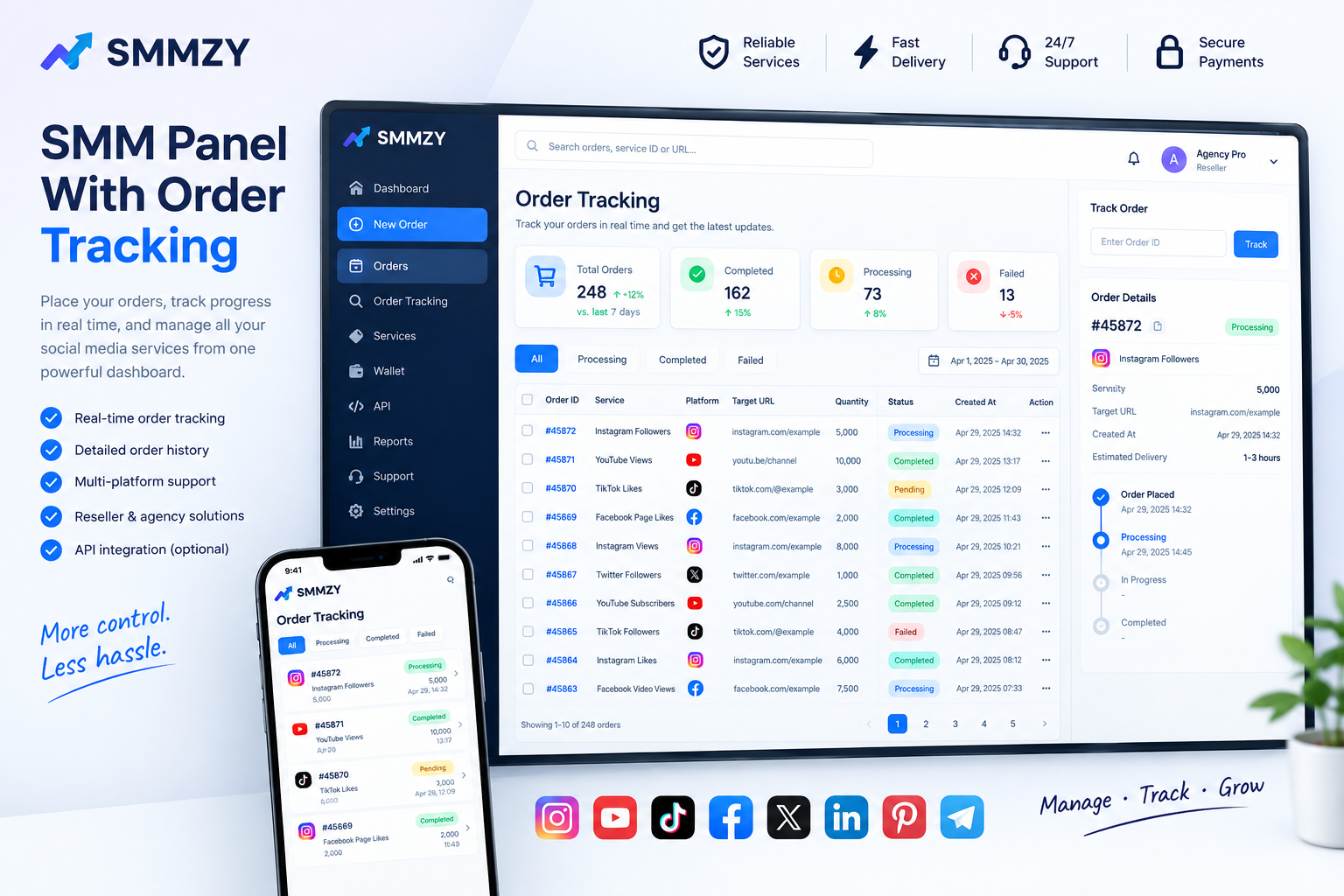
An SMM panel with order tracking helps users monitor their requests through a centralized dashboard. Instead of relying on manual updates or keeping separate records for every order, users can review order details, check available status information, and identify requests that may require attention.
For resellers, digital marketing agencies, and individual users, an organized tracking system can make order management easier and more transparent.
This guide explains how SMM panel order tracking works, which features matter, how to troubleshoot common order issues, and what users should consider when choosing a platform like SMMZY.
What Is an SMM Panel With Order Tracking?
An SMM panel is an online platform that provides access to social media marketing services through a dashboard. Depending on the available catalog, users may find services related to followers, likes, views, comments, subscribers, and other engagement metrics.
Order tracking is the feature that allows users to monitor the status of requests after submission.
A typical tracking dashboard may display:
Order ID and selected service
Target profile, post, or video URL
Requested quantity
Order creation date
Current order status
Available progress or delivery information
Applicable refill or support options
The exact information depends on the panel and the service selected.
For example, after placing an order for Instagram likes, a user may open the order history and check whether the request is pending, processing, completed, canceled, or marked as partial. These statuses help explain what the system currently reports about the order.
Order tracking does not guarantee a particular delivery time or outcome. It provides visibility into the request and helps users decide whether further action is necessary.
How Does SMM Panel Order Tracking Work?
Although individual dashboards differ, most tracking workflows follow a similar process.
Select a service, enter the required URL and quantity, and submit the request.

</box>
The dashboard records the request and may assign a unique order ID for future reference.

</box>
Check the order history to see the latest status reported by the panel.

</box>
Confirm the reported outcome and investigate any incomplete, canceled, or problematic order.

</box>
Some panels update statuses automatically, while others may rely on periodic synchronization with an external service provider. As a result, status information may not always reflect changes immediately.
Understanding Common SMM Order Statuses
Knowing what each status means can help users avoid unnecessary confusion.
Order statusGeneral meaningWhat to doPendingThe order is awaiting processing or has not yet started.Check the service's stated start conditions.ProcessingThe request is being handled.Monitor the order and allow the stated processing window.In progressThe order has started but may not be finished.Review the latest available progress information.CompletedThe system reports that the order has finished.Check the result against the order details.PartialOnly part of the requested quantity was delivered or recorded as completed.Review the remaining quantity and applicable service terms.CanceledThe order has been canceled.Check the reason and any applicable balance adjustment.FailedThe system reports that the request could not be completed successfully.Review the details and contact support if necessary.
Status labels and their precise meanings vary by provider. A completed status also does not necessarily mean that the results will remain permanently.
Why Is Order Tracking Important?
Order tracking is more than a convenient dashboard feature. It helps users maintain records and make informed decisions when something does not go as expected.
Better Visibility
Users can review their order history without relying entirely on memory or searching through old messages.
Easier Problem Identification
If an order remains pending longer than the stated processing window, the user has a reference point for investigating the issue.
Improved Customer Support
Order IDs and status information help support teams identify the relevant request more quickly.
More Organized Business Operations
Agencies and resellers can associate provider orders with individual customers, campaigns, and internal records.
Better Financial Records
Order histories can help users compare submitted requests with charges, cancellations, and any applicable balance adjustments.
A tracking dashboard cannot prevent every delay or service issue, but it can make those issues easier to identify and manage.
Features to Look for in an SMM Panel Tracking System
Not every panel provides the same level of tracking detail. Before selecting a platform, review the following features.
FeatureWhy it mattersIndividual order IDsMakes it easier to identify a specific request.Search and filtersHelps users locate orders by ID, service, or status.Detailed order historyProvides a record of past requests.Status updatesShows the latest information available about an order.Clear service descriptionsHelps users understand the requirements before ordering.Balance and transaction recordsSupports payment and order reconciliation.Support accessProvides a route for investigating unresolved problems.API status checksCan help resellers synchronize order information when supported.Refill informationClarifies whether a particular service includes a refill option.
The usefulness of these features depends on their actual implementation. Users should verify which functions are available before relying on them for business operations.
How to Track Your SMM Orders Efficiently
A consistent process can help you manage orders without repeatedly checking the same information or overlooking requests that need attention.
Step 1: Save the Order ID
Keep the order reference after submission. If you need help later, this identifier can make it easier to locate the correct request.
Step 2: Check the Original Details
Verify the selected service, target URL, quantity, and submission time. This can help identify mistakes such as an incorrect link or an unsuitable service selection.
Step 3: Review the Stated Processing Window
Different services may have different start times and delivery conditions. Avoid assuming that every order should begin or finish at the same speed.
Step 4: Monitor Status Changes
Use the order history or tracking page to check the latest available status. Repeatedly submitting the same order is not a reliable way to resolve a delay.
Step 5: Contact Support When Necessary
If the order remains unresolved beyond the stated timeframe, provide the order ID, relevant details, and a clear description of the issue.
Step 6: Keep Your Own Records
Businesses managing many orders should maintain a separate record connecting each order with the appropriate customer or campaign.
This process can help both individual users and larger teams maintain better control over their requests.
What to Do When an SMM Order Is Delayed
A delayed order does not always mean that the request has failed. The reason may relate to service demand, processing conditions, a technical issue, or the requirements of the selected service.
Use the following checklist before taking further action.
Confirm that the order appears in your order history.
Check whether the current status has changed.
Review the service description and expected start conditions.
Confirm that the target URL was entered correctly.
Check for account, post, or visibility changes that could affect the request.
Review the provider's stated processing timeframe.
Contact support if the delay continues beyond the applicable timeframe.
Avoid placing a duplicate order while the original request is still unresolved. Depending on the service, a second request may create duplicate activity or additional charges.
If support needs to investigate the issue, provide accurate information rather than submitting repeated tickets for the same order.
How Agencies and Resellers Can Manage Multiple Orders
Order tracking becomes particularly valuable when a business handles requests for multiple customers.
An agency might manage several Instagram campaigns, TikTok projects, and YouTube promotions at the same time. Without organized records, it can be difficult to determine which orders belong to which client.
A simple tracking spreadsheet or internal system can include:
Record fieldExampleInternal referenceCLIENT-104Provider order ID45872PlatformInstagramServiceSelected serviceQuantity5,000Submission dateRecorded order dateLatest statusProcessingNext actionReview at the appropriate time
The example is illustrative and does not represent a real SMMZY order.
For larger workloads, agencies may benefit from bulk-order tools or API integration if supported by the provider. An API can allow compatible software to submit requests and retrieve status information programmatically.
Automation should include duplicate prevention, error handling, secure credential storage, and checks for unsuccessful requests. A timeout does not always mean that an order was rejected, so systems should verify the original request before attempting to submit it again.
SMM Panel With Order Tracking vs Manual Order Management
Both approaches can be used to manage social media service requests, but they differ in how information is organized.
AreaManual trackingDashboard-based trackingOrder referencesRecorded manuallyUsually associated with dashboard recordsStatus checksMay require separate follow-upAvailable through the panel when supportedHistorical recordsDepends on personal recordkeepingOften accessible through order historyLarge workloadsCan become difficult to maintainSearch, filters, and bulk features may helpAutomationUsually limitedAPI integration may be availableError investigationDepends on saved informationOrder details can provide a starting point
A dashboard does not eliminate the need for internal records, particularly when an agency manages several customers. The most practical setup combines the provider's tracking features with a reliable internal recordkeeping process.
How SMMZY Can Help With Order Management
SMMZY provides a platform for users exploring social media service options. When evaluating SMMZY for order management, review the current dashboard, available service descriptions, order history, and support procedures to understand which tracking features apply to your selected service.
Before placing an order, check the service requirements, quantity limits, stated processing conditions, and any relevant refill terms.
For effective order management:
Keep your order ID for future reference.
Use the dashboard to review the latest available status.
Check the service details before submitting a request.
Avoid duplicate submissions when an order is still pending or processing.
Contact support with the relevant order information if an issue remains unresolved.
For agencies and resellers, maintaining separate customer records can make it easier to reconcile orders and communicate updates accurately.
No order-tracking system can guarantee that every service will start at a particular time, complete successfully, or maintain its results permanently. Understanding each service's conditions is an important part of using a panel responsibly.
Common Order Tracking Mistakes to Avoid
Even with a tracking dashboard, users can create unnecessary problems by overlooking basic checks.
Submitting duplicate orders: Check the original request before placing another order for the same target.
Ignoring service requirements: Review the URL format, quantity limits, and any special instructions before submission.
Assuming processing means completion: A processing status generally indicates that the request has not yet been reported as complete.
Expecting every service to have the same delivery time: Start times and delivery conditions can differ between services.
Failing to save order IDs: Without a reference, it may take longer to identify a request during an investigation.
Misunderstanding refill conditions: Refill eligibility depends on the terms of the particular service and the reason for the change.
Treating completed orders as permanent results: A completed order does not necessarily guarantee that engagement will remain unchanged.
Ignoring unresolved errors: Review canceled, partial, or failed orders and follow the applicable support process.
Avoiding these mistakes can make order tracking more straightforward and help prevent unnecessary costs.
Frequently Asked Questions
What is an SMM panel with order tracking?
It is an SMM panel that lets users review order details and monitor available status information through a dashboard or another supported interface.
How can I check my SMM order status?
Log in to the relevant panel, open the order history or tracking section, and locate your order using its ID or available search filters. The exact steps depend on the platform.
What does a processing status mean?
It generally means the order is being handled but has not yet been reported as complete. Check the service's stated processing conditions for more information.
Why is my SMM order still pending?
An order may remain pending while it awaits processing or because of service-specific conditions or technical issues. Review the applicable timeframe and contact support if the delay continues beyond it.
What does a partial order mean?
A partial order generally indicates that the recorded completed quantity is less than the requested quantity. Check the order details and applicable terms to understand the remaining quantity and any available adjustment.
Can I track multiple SMM orders at once?
Some panels provide order filters, bulk-order tools, or API integration that can help manage multiple requests. The available features vary by provider.
Does order tracking guarantee successful delivery?
No. Tracking provides visibility into the order's recorded status, but it does not guarantee completion, a particular delivery time, or permanent engagement.
Do I need to share my social media password to track an order?
Order tracking generally relies on your panel account and order reference. For SMMZY, the stated service workflow does not require social media login credentials; check the individual service requirements before ordering.
Final Thoughts
An SMM panel with order tracking helps users manage requests, review order statuses, maintain records, and identify issues that need attention. For agencies and resellers, these features can be especially useful when several campaigns are running simultaneously.
The key is to combine a clear tracking system with accurate records, careful service selection, and realistic expectations. Check order details before submission, monitor unresolved requests, and use the appropriate support process when something goes wrong.
With an organized approach, SMMZY users can manage their service orders more clearly while keeping track of the information needed for day-to-day operations.